Follow Along!
Follow along: Virtual Simulation Example
-
Initialization
- Import the Virtual Environment and the Robot
- Test the Virtual Movements
- Navigation
Initialization
For the interactive simulation, ZetaBank provides a server upon which the simulation may take place. The connection should be through nomachine service, which would allow for headful control of the server.
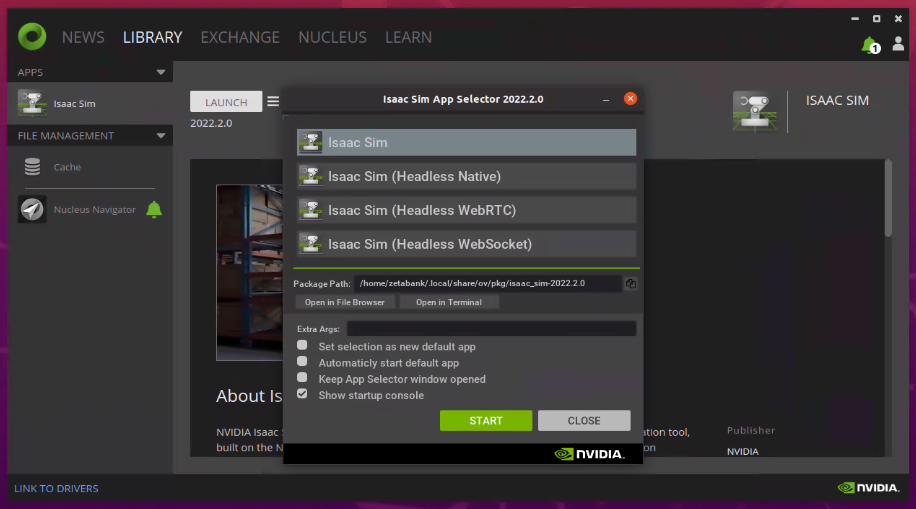
Upon the connection to the server, log onto the OmniVerse Application and access the Library to start the Isaac Sim.
Import the Virtual Environment and the Robot
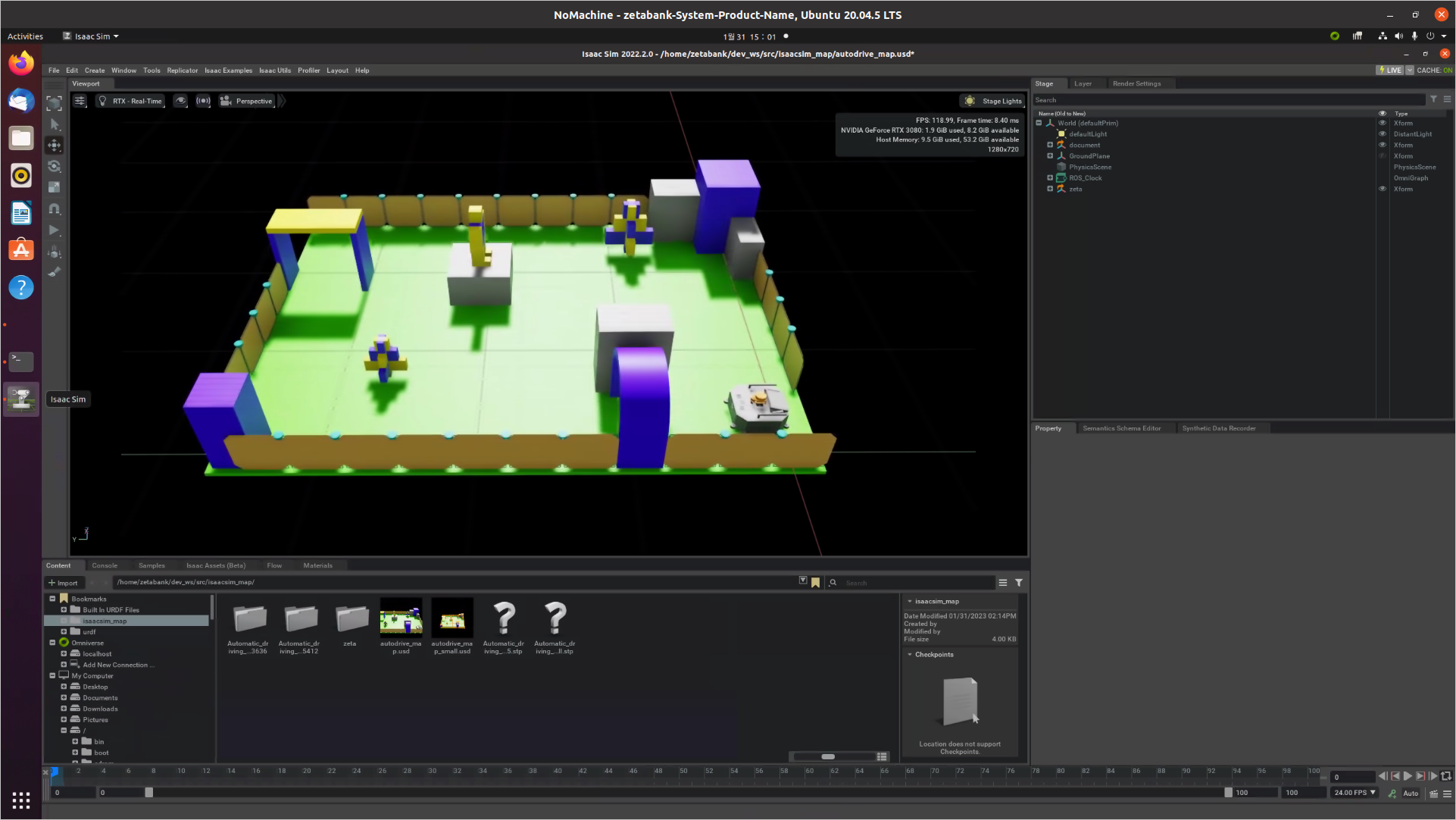
The Isaac Sim application consists of viewport window in the middle (for displaying the simulation), editorial tools on the left, and other specified tools on the right and bottom sides.
Access the Content window and locate isaacsim_map folder. If Content window is not visible, you may activate it by accessing the dropdown menu (Window -> Browser -> Content)
Double Click autodrive_map.usd file which contains the environment and the robot information to the Stage window.
Test the Virtual Movements
Open a new terminal and execute:
roscore
Within the Isaac Sim, start the simulation by pressing the play button on the left of the viewport. This will activate the interactive simulation.
To give movement commands to the robot, publish a movement script to the robot:
rostopic pub /cmd_vel geometry_msgs/Twist '{linear: {x: 0.1, y: 0.0, z: 0.0}, angular: {x: 0.0,y: 0.0,z: 0.0}}'
The linear and angular (x, y, z) parameters indicate the linear movement on x, y, and z axes. Since our robot does not have the ability to fly, only x and y axes values are used.
(Note) When the rostopic is published, it repeatedly publishes the commands, which causes the robot to continually repeat the same movement. Make sure to stop the robot by: 1. Stopping the rostopic 2. Initializing the linear and angular speed of the robot.
rostopic pub /cmd_vel geometry_msgs/Twist '{linear: {x: 0.0, y: 0.0, z: 0.0}, angular: {x: 0.0,y: 0.0,z: 0.0}}'
Navigation
Start the simulation using the play tool on the left of viewport.
Open a new terminal and execute:
roslaunch zeta_2dnav zeta_navigation.launch
This will launch the Rviz ROS navigation system.
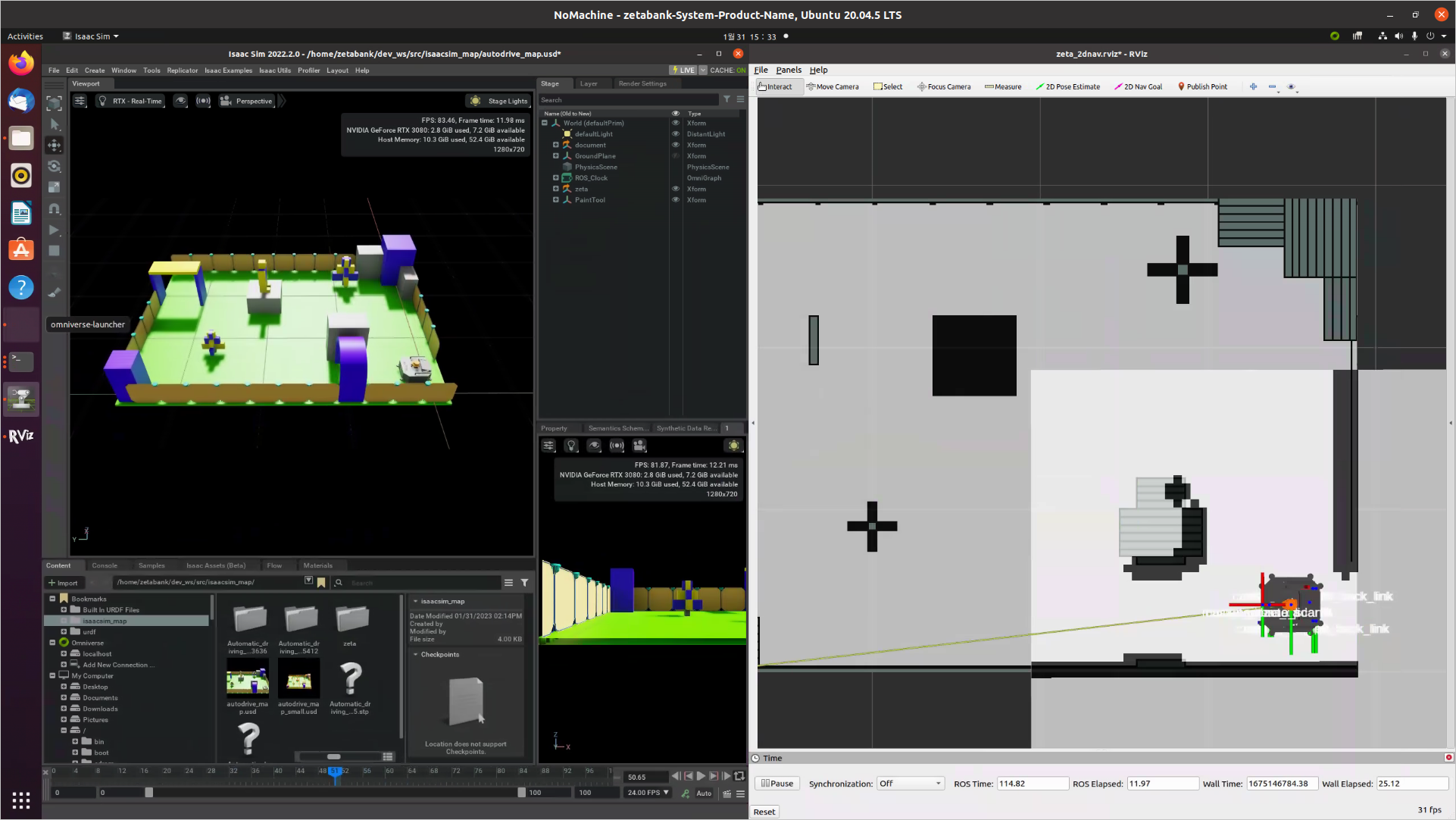
There are multiple tools to intect with the navigation 2D simulation.

Choose the 2D Nav Goal tool and define where the robot needs to go. The tool can also define where the robot needs to face once it has reached its destination.
To finish and exit the navigation task, stop the simulation on the Isaac Sim and exit the RViz program without saving.