Pose Estimation with PoseNet
Pose estimation is a method of locating various body parts (aka keypoints) that form a skeletal topology (aka links). This allows us to use these linked keypoints to detect gestures or postures.
For Pose Estimation task, we use the pre-built poseNet program. The program takes an input (an image, a video or a live camera) and performs the inference using the pretrained networks, then outputs object poses.
There are three pre-trained networks available for pose estimation tasks. 2 of the networks are designed to detect humen poses, and one of them for arm gestures.
Network |
CLI Argument |
Keypoints |
|---|---|---|
Pose-ResNet18-Body |
resnet18-body |
18 |
Pose-ResNet18-Hand |
resnet18-hand |
21 |
Pose-DenseNet121-Body |
densenet121-body |
18 |
Launching the Program
The poseNet program is a python based program. The program may be ran directly on the Command Line Interface or through our pre-built script ran on the Jupyter Notebook environment.
./posenet.py <input source> <output method>
Examples through Jupyter Notebook
The program launching process along with parameter settings are all simplified and set up on the Jupyter Notebook Environment.
(The Jetson Board used for these examples are => Jetson Nano)
Hand Gesture Recognition through a Camera
카메라로 손 포즈 추정.ipynb
- Running the cell codeCtrl + Enter
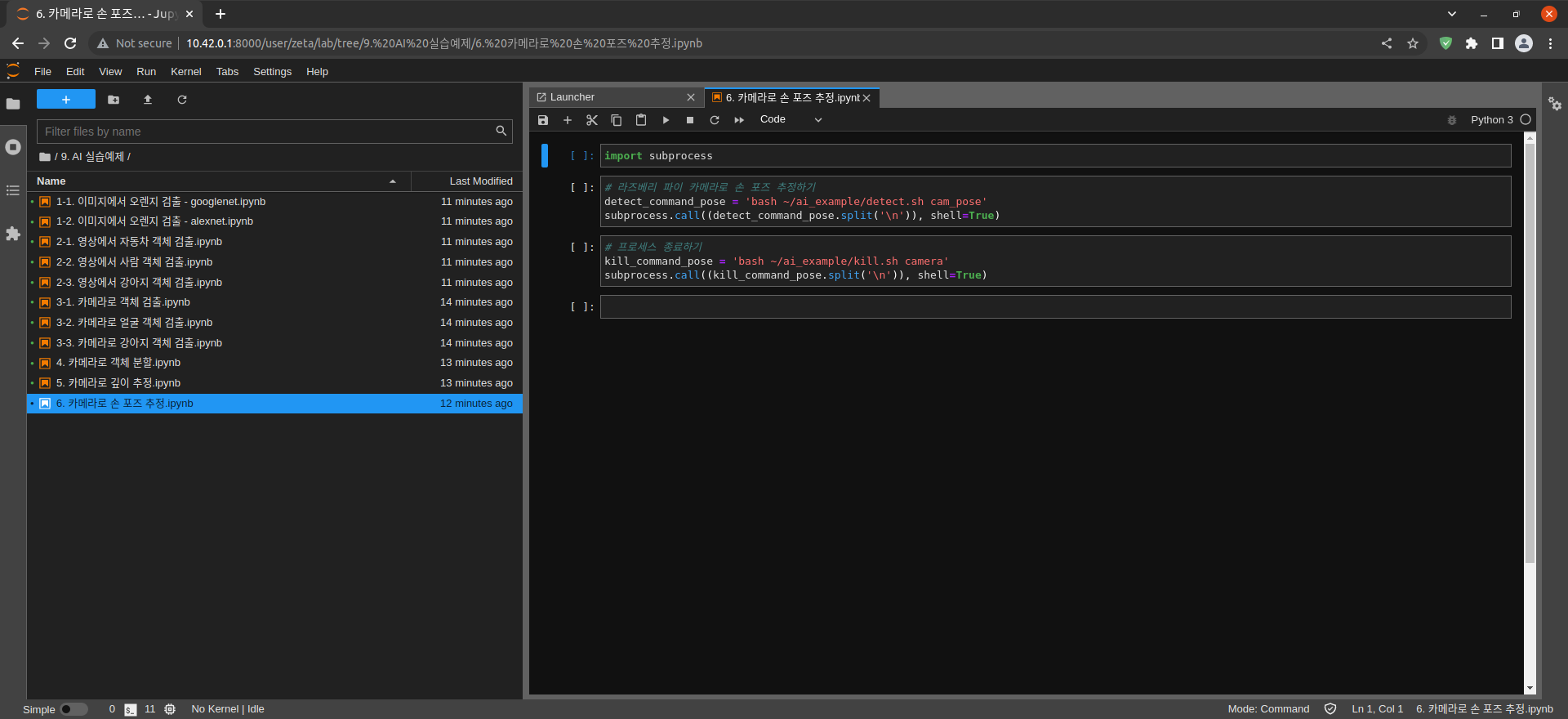
Import the subprocess module to run the example scripts (i.e. show.sh, kill.sh)
import subprocess
Using the below code, activate a camera window, pose mapping will be done automatically.
# Hand gesture detection with Raspberry Pi Camera
detect_command_pose = 'bash ~/ai_example/detect.sh cam_pose'
subprocess.call((detect_command_pose.split('\n')), shell=True)
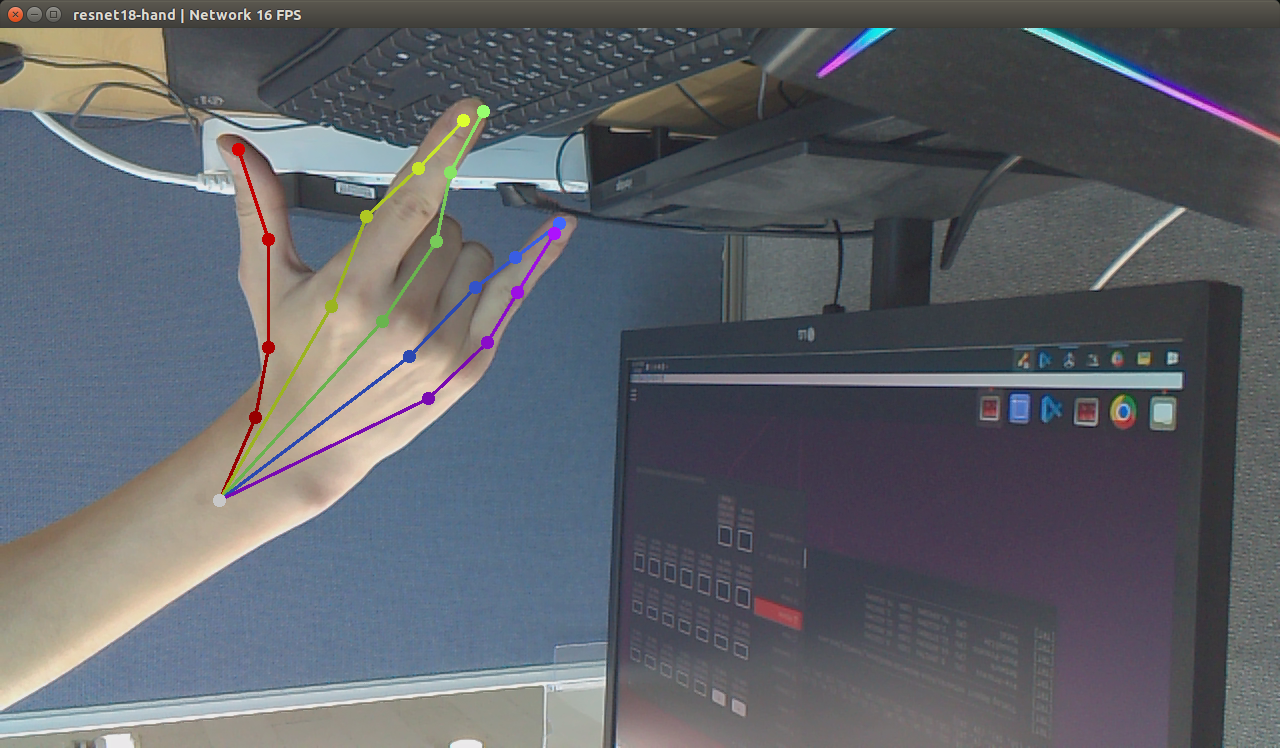
After testing the pose mapping program terminate the camera window
# terminating the process
kill_command_face = 'bash ~/ai_example/kill.sh camera'
subprocess.call((kill_command_dog.split('\n')), shell=True)