Object Detection
Object Segmentation is a method of categorizing or classifying each pixel of a given image, or a video into a particular classes. For example, this allows the computer to differentiate mouth from an eye and land from the sky.
For Object Segmentation task, we use the pre-built segNet program. The program takes an input (an image, a video or a live camera) and performs the inference using the pretrained networks, then outputs per-pixel classification mask overlay.
There are many different network models trained with various dataset. Using different dataset allows us to recognize and classify different scenarios.
Network |
Resolution |
CLI Argument |
|---|---|---|
Cityscapes |
512x256 |
fcn-resnet18-cityscapes-512x256 |
Cityscapes |
1024x512 |
fcn-resnet18-cityscapes-1024x512 |
Cityscapes |
2048x1024 |
fcn-resnet18-cityscapes-2048x1024 |
DeepScene |
576x320 |
fcn-resnet18-deepscene-576x320 |
DeepScene |
864x480 |
fcn-resnet18-deepscene-864x480 |
Multi-Human |
512x320 |
fcn-resnet18-mhp-512x320 |
Multi-Human |
640x360 |
fcn-resnet18-mhp-640x360 |
Pascal VOC |
320x320 |
fcn-resnet18-voc-320x320 |
Pascal VOC |
512x320 |
fcn-resnet18-voc-512x320 |
SUN RGB-D |
512x400 |
fcn-resnet18-sun-512x400 |
SUN RGB-D |
640x512 |
fcn-resnet18-sun-640x512 |
Launching the Program
The segNet program is a python based program. The program may be ran directly on the Command Line Interface or through our pre-built script ran on the Jupyter Notebook environment.
These are the different parameters that can the adjusted to the users need. (Note) The input and output information must be given.
The network name that will be used for the inference
The visualization method. Whether to have the classified mask by itself or overlay it on the original image, video or camera. The default is set to overlay.
The alpha value. How much blending to be done on the overlay, if the overlay setting is set. Default is 120.
The filter mode. Sets the sampling method as either linear or point. Default value is linear.
The input source (file path if it is an image(s) or a video(s))
The output method (file path if it is an image(s) or a video(s))
./segnet.py --networks=<network name> --visualize=<visual method> --alpha=<alpha value> --filter-mode=<filter value> <input source> <output method>
The visualize, alpha, and filter-mode parameters are optional.
Examples through Jupyter Notebook
The program launching process along with parameter settings are all simplified and set up on the Jupyter Notebook Environment.
(The Jetson Board used for these examples are => Jetson Nano)
Object Segmentation through a Camera
For this example we will use fcn-resnet18-cityscapes-1024x512 model trained with Cityscapes
카메라로 객체 분할.ipynb
- Running the cell codeCtrl + Enter
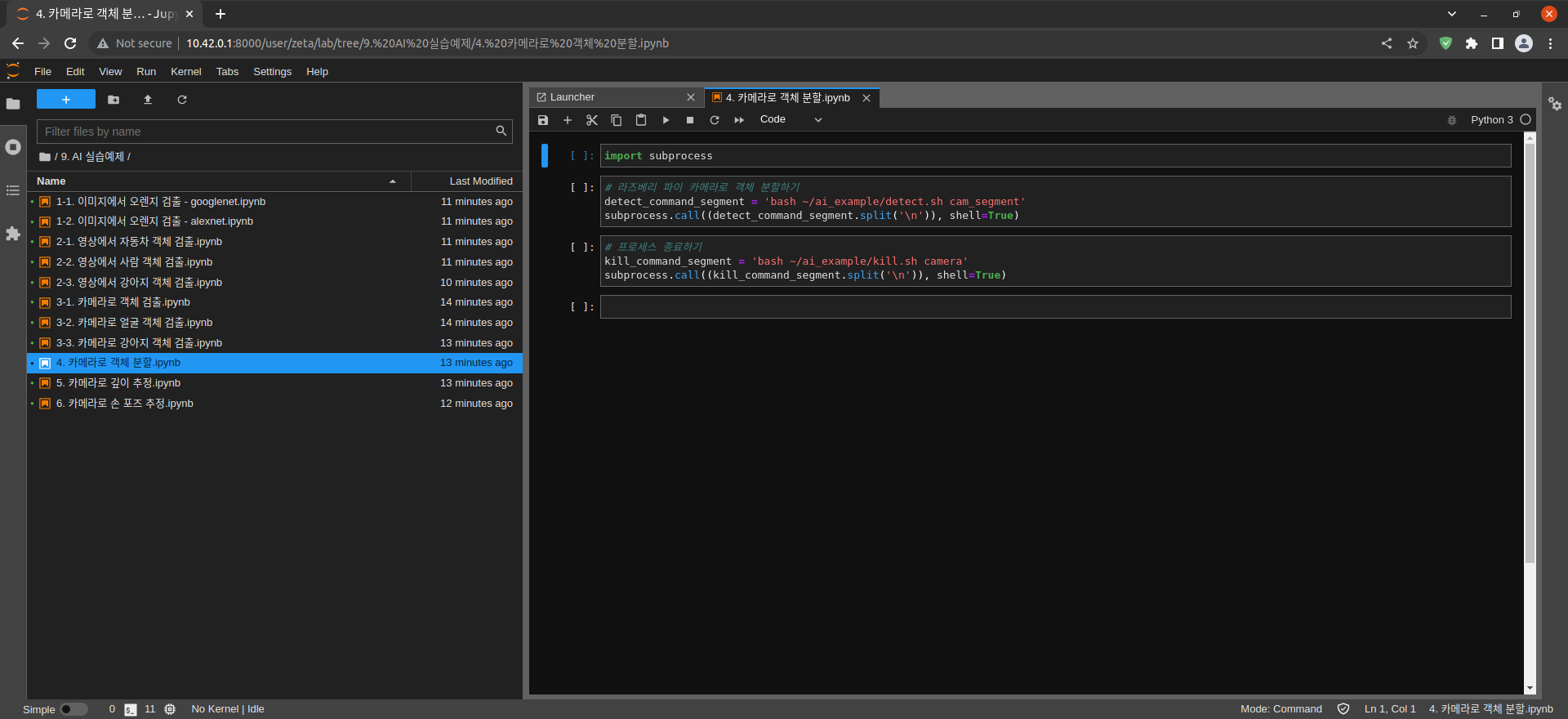
Import the subprocess module to run the example scripts (i.e. show.sh, kill.sh)
import subprocess
Using the below code, activate a camera window. The segmentation will automatically happen.
# Object Segmentation with Raspberry Pi Camera
detect_command_segment = 'bash ~/ai_example/detect.sh cam_segment'
subprocess.call((detect_command_segment.split('\n')), shell=True)

After testing the detection program terminate the camera window
# terminating the process
kill_command_segment = 'bash ~/ai_example/kill.sh camera'
subprocess.call((kill_command_segment.split('\n')), shell=True)